Business management is evolving rapidly. Companies need more than software to record transactions; they need connected systems that help teams make decisions faster automate repetitive work and respond to customers more effectively. Odoo 20 brings a smarter approach to business management, with improvements across artificial intelligence (AI), automation, customer relationship management, accounting, inventory, manufacturing, eCommerce, and more.
Released in September 2026, Odoo 20 introduces new capabilities designed to simplify everyday workflows and help businesses manage operations through a more connected platform. For growing companies, the opportunity is not simply to adopt new technology. It is to use technology to eliminate unnecessary manual work and create more efficient business processes.
Let's explore 20 useful Odoo 20 features and how they can help businesses work smarter.
AI-Powered Business Process Automation
One of the most notable developments in Odoo 20 is the ability to use AI agents to automate business processes through natural-language instructions. Instead of manually configuring every step of a workflow, users can describe the task they want to automate. The AI agent can explain the proposed actions before the workflow runs.
Business value: Reduce repetitive administrative tasks, improve workflow consistency, and free employees to focus on higher-value activities.
Smarter CRM and Lead Generation
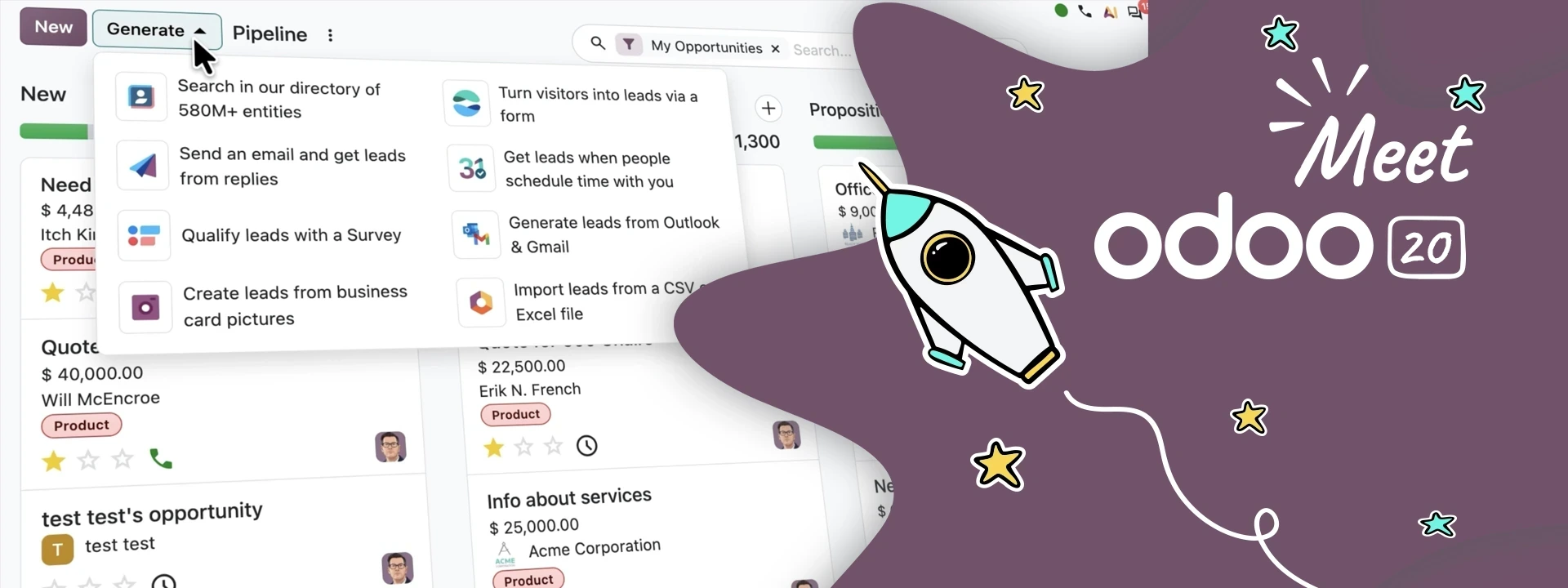
Odoo 20 enhances CRM lead-generation capabilities, helping sales teams discover potential customers and manage their pipelines more efficiently. The updated functionality includes access to a larger business directory, more lead-generation options, and improved lead distribution between salespeople.
Business value: Help sales teams identify prospects, organise leads, and spend more time developing qualified opportunities.
Automated Lead Assignment
Managing multiple sales teams can make lead distribution complicated. Odoo 20 improves lead assignment rules to support more flexible distribution between team members. Businesses can configure how incoming leads are assigned according to their sales processes.
Business value: Improve response consistency, balance sales workloads, and reduce the risk of leads being overlooked.
AI-Assisted Website Creation
Odoo 20 makes website creation more accessible with AI-assisted page generation. Users can describe the page they want, and the system can help create the layout and relevant content. The website editor also supports AI-assisted content editing, translation, and SEO improvements.
Business value: Help marketing teams create and update web pages faster while reducing the effort required for routine content changes.
AI-Generated Website Content Blocks
Businesses often need custom sections for product pages, landing pages, campaigns, and service descriptions. Odoo 20's website tools can help generate missing content blocks, including interactive snippets, based on a user's instructions.
Business value: Make website updates more flexible and reduce dependence on developers for certain routine design tasks.
Smarter eCommerce Product Pages
Odoo 20 introduces improvements to online shopping experiences, including product variant thumbnails and enhanced product presentation. Customers can more easily understand available product options when browsing an online catalogue.
Business value: Improve product discovery and help shoppers select the products or variants they want.
Improved eCommerce Checkout
The updated eCommerce experience includes a checkout progress indicator for free-shipping thresholds and options such as delivery-date selection, depending on the configured workflow. Customers can also access additional order-management options through their portal.
Business value: Create a clearer checkout experience and give customers more visibility into their purchasing journey.
Customer Self-Service and Returns
Odoo 20 improves customer portal capabilities, including the ability for customers to request product returns through the portal when the relevant workflow is enabled.
Business value: Reduce unnecessary back-and-forth communication and make post-purchase service more convenient for customers and support teams.
Smarter Inventory Reordering
Inventory planning becomes more data-driven with improved stock-level calculations based on recent sales history. Odoo can also prepare purchase orders for review. Businesses can use these capabilities to improve their replenishment processes.
Business value: Help reduce stock shortages, improve purchasing decisions, and avoid unnecessary manual monitoring of inventory.
Better Vendor and Purchase Analysis
Odoo 20 introduces smarter purchasing support, including AI-assisted analysis of vendor purchasing history and vendor quality information. These insights can help purchasing teams evaluate supplier relationships and identify opportunities to improve procurement decisions.
Business value: Make supplier evaluation more informed and help purchasing teams identify potential cost-saving opportunities.
Automated Vendor Bill Matching
Matching vendor bills against purchase orders is an important financial control. Odoo 20 improves the purchasing workflow by helping match bills to purchase orders and flag discrepancies.
Business value: Reduce manual checking, identify differences earlier, and improve the accuracy of purchase-related financial records.
Improved Manufacturing Planning
Manufacturing teams need accurate production schedules and clear visibility into work orders. Odoo 20 enhances manufacturing planning with improvements to work-order management, including Gantt scheduling and Kanban-based prioritisation.
Business value: Help production managers coordinate activities, identify urgent work, and adjust schedules more efficiently.
Better Bills of Materials Comparison
A bill of materials (BoM) defines the components required to manufacture a product. Odoo 20 adds the ability to compare bills of materials side by side. This can help manufacturers evaluate different product configurations and component requirements.
Business value: Make production planning and product-structure reviews easier, particularly when managing multiple product versions.
More Efficient Shop-Floor Operations
Odoo 20 improves work-order execution, including the ability for operators to register production quantities directly from work orders and support the release of subsequent operations.
Business value: Help reduce delays between production steps and improve the flow of information from the shop floor to management.
AI-Powered Accounting Assistance
Odoo 20 introduces an AI accounting assistant that can answer questions using information from accounting reports and help users investigate reconciliation issues. This provides an additional way for finance teams to understand financial information without manually navigating every report.
Business value: Support faster financial analysis and help identify accounting issues that require further review.
Direct Bill Payments from Odoo
Odoo 20 introduces a payment-initiation workflow that allows supported businesses to pay bills from within Odoo through compatible payment service providers. Availability depends on the provider, banking arrangements, and applicable country requirements.
Business value: Reduce the need to switch between accounting software and banking portals, while keeping payment activities connected to the accounting workflow.
Improved Payroll Planning
Odoo 20 adds payroll-related improvements, including a redesigned dashboard, the ability to test pay runs and preview payslips before validation, and salary simulation tools. Payroll configuration and availability depend on the relevant localisation and installed applications.
Business value: Help HR and finance teams review payroll information earlier and identify setup issues before finalising payroll.
Connected Team Communication
Odoo 20 brings communication capabilities together through Discuss, including chats, channels, video calls, AI tools, live chat, and WhatsApp integrations where configured. Video-call capabilities also include recording, transcription, and screen sharing in supported workflows.
Business value: Help teams coordinate conversations and business activities with less dependence on disconnected communication tools.
Offline Work for Field Teams
Field Service improvements allow users to work with records offline, including viewing and editing supported records and creating new ones. Changes can synchronise when connectivity returns.
Business value: Support employees who work at customer sites or in locations with unreliable internet access.
Smarter Scheduling and Field Service Planning
Odoo 20 integrates Field Service more closely with Planning. Teams can schedule interventions through calendar views, with travel-time calculations and map-based visibility available in supported configurations. Calendar synchronisation also helps bring schedules from different sources into a more unified view.
Business value: Help service businesses coordinate technicians, plan appointments, and make better use of available working time.
Why Odoo 20 Matters for Growing Businesses
The value of Odoo 20 lies in how its features work together. Rather than managing sales, inventory, purchasing, accounting, and customer service as isolated activities, businesses can connect these processes within one ERP ecosystem. For example, a manufacturing business may connect sales demand with stock availability, purchasing, production scheduling, quality checks, and financial reporting. A retail business may connect its online store, product inventory, checkout, customer records, and accounting processes. A service company may connect CRM opportunities with project delivery, timesheets, scheduling, and invoicing.
The right implementation helps businesses build workflows around their real operational needs rather than forcing teams to manage multiple disconnected systems.
Is Your Business Ready for Odoo 20?
Before implementing or upgrading to Odoo 20, businesses should evaluate their current applications, customisations, data quality, integrations, reporting requirements, and user training needs.
A structured assessment can help identify which new capabilities will provide measurable value and which processes need to be redesigned first.
Not every business needs every application. The best approach is to prioritise features according to business objectives, implementation effort, and expected return.
How Palmate Technologies Helps Businesses Get More from Odoo
Palmate Technologies helps businesses explore and implement Odoo ERP solutions aligned with their operational requirements.
As an Odoo Gold Partner, Palmate can help organisations assess their workflows, identify relevant applications, plan integrations, and build an implementation approach around their business goals.
Whether your priority is improving financial visibility, streamlining inventory, modernising manufacturing, or connecting sales and customer service, the right ERP strategy can help your organisation move towards more efficient operations.
Ready to make your business smarter with Odoo 20?
Contact Palmate Technologies to discuss your requirements and explore how Odoo ERP can support your digital transformation journey.
Call to Action: Book an Odoo ERP Consultation
Frequently Asked Questions
What is Odoo 20?
Odoo 20 is the 2026 release of Odoo's integrated business management platform, with updates across AI, automation, CRM, accounting, manufacturing, eCommerce, and other business applications.
What are the main new features in Odoo 20?
Major highlights include AI-powered workflow automation, improved lead generation, AI-assisted website creation, smarter inventory replenishment, enhanced manufacturing planning, accounting assistance, and field-service improvements.
Can Odoo 20 automate business processes?
Yes. Odoo 20 introduces AI-agent capabilities that can help automate configured business workflows using natural-language instructions. Businesses should review permissions and validate workflows before deploying them.
Is Odoo 20 suitable for manufacturing companies?
Odoo 20 includes manufacturing improvements such as work-order planning, production prioritisation, and bill-of-materials comparison. The appropriate setup depends on the manufacturer's production model and operational requirements.
Can Odoo 20 help improve eCommerce sales?
Odoo 20 includes improvements to product presentation, checkout, delivery options, and customer self-service. These capabilities can help create a smoother buying experience, although actual sales results depend on the wider customer journey.
Should my business upgrade to Odoo 20?
The decision depends on your current Odoo version, custom modules, integrations, business requirements, and support needs. Review compatibility and test the migration in a controlled environment before upgrading a production database.
Odoo 20 represents a further step towards connected, AI-assisted business management. Its improvements across automation, sales, inventory, manufacturing, accounting, websites, and field service can help businesses reduce manual effort and improve operational visibility.
The real advantage comes from choosing the right features and implementing them around clear business objectives.
With a practical implementation strategy, Odoo 20 can help businesses build more connected workflows and prepare for their next stage of growth.
Palmate Technologies — Helping businesses work smarter with Odoo ERP.