Every business has its own way of working. From managing sales and inventory to handling finance, manufacturing and customer relationships, each organisation follows processes shaped by its industry and goals.
While Odoo ERP offers a comprehensive suite of business applications, standard features may not cover every specific requirement. Odoo ERP customization helps businesses adapt the platform to their workflows, improve efficiency and build a system that supports long-term growth.
Palmate Technologies helps businesses explore Odoo ERP solutions, custom development, workflow automation and integrations designed around their operational requirements.
What is Odoo ERP Customization?
Odoo ERP customization is the process of extending or adapting Odoo to meet specific business requirements that cannot be fully addressed through standard configuration alone.
Depending on the requirement, customization may include:
• Developing custom Odoo modules.
• Modifying forms, fields and views.
• Automating repetitive business workflows.
• Creating customised reports and dashboards.
• Integrating Odoo with third-party applications.
• Adapting approval processes and access permissions.
• Enhancing the user interface for specific roles.
• Extending existing Odoo applications.
The objective is not to make the system unnecessarily complicated. It is to ensure that Odoo supports the way your business operates while remaining maintainable and ready for future upgrades.
Why Do Businesses Need Odoo Customization?
Businesses often adopt ERP software to improve visibility, reduce manual work and connect departments. However, operational challenges can remain when the system does not match important business processes.
Unique Business Workflows
A manufacturing company, trading business and service provider do not follow the same operational processes. Custom workflows can help Odoo reflect specific approval steps, production requirements, service procedures or sales operations.
Reduce Manual Work
Repetitive tasks can consume valuable employee time. Workflow automation can reduce unnecessary data entry, trigger notifications, assign activities and standardise routine processes.
Better Reporting and Business Visibility
Standard reports may not provide every metric a management team needs. Custom dashboards and reports can present relevant operational and financial information in a format that supports better decisions.
Connect Existing Business Applications
Many organisations already use payment gateways, eCommerce platforms, logistics systems, communication tools or specialised industry software. Integrating these applications with Odoo can reduce data duplication and disconnected workflows.
Support Business Growth
As a company expands, its requirements may change. A well-planned customization strategy helps the system evolve with new departments, locations, business units and operational processes.
Odoo ERP Customization Services
Custom Odoo Module Development
When standard Odoo applications do not cover a specific requirement, a custom module can introduce additional functionality.
Examples include specialised business rules, industry-specific forms, additional operational features and tailored approval processes.
Custom modules should follow appropriate development practices, include documentation and be tested against the relevant Odoo version.
Odoo Workflow Automation
Automation helps connect activities across departments and reduce repetitive manual steps.
Examples include:
• Automatic activity assignment for sales teams.
• Notifications for pending approvals.
• Reordering alerts based on stock rules.
• Automated follow-up activities.
• Approval workflows for purchases and expenses.
• Project creation triggered by defined business events.
The right automation depends on your existing process, user permissions and business rules.
Odoo Reports and Dashboards
Management teams need accurate, relevant information to monitor performance. Custom reports and dashboards can help present sales performance, inventory movements, financial information, project progress and other business indicators. The aim is to make important information easier to access without creating unnecessary reporting complexity.
Odoo UI/UX Customization
A system should be practical for the people using it every day. UI/UX improvements can simplify forms, organise information, improve navigation and make role-specific screens easier to use. Good interface design helps users complete tasks efficiently while maintaining consistency across the system.
Odoo Third-Party Integration
Odoo can be connected with external applications when the required APIs, connectors and technical capabilities are available.
Integration requirements may include:
- eCommerce platforms.
- Payment gateways.
- Shipping and logistics applications.
- Customer relationship management tools.
- Communication and messaging platforms.
- External reporting and business intelligence tools.
- Legacy business applications.
Before development begins, the integration scope should define which data is exchanged, how frequently it synchronises, how errors are handled and which system owns each data field.
Odoo Localization and Business-Specific Requirements
Businesses operating in Saudi Arabia may need ERP workflows aligned with local tax, accounting, e-invoicing and reporting requirements. Customization and localization should be planned carefully to meet applicable regulations. Requirements such as ZATCA e-invoicing compliance should be validated against the current official specifications and the intended Odoo configuration before deployment.
Odoo 20 Customization: Preparing for Modern Business Workflows
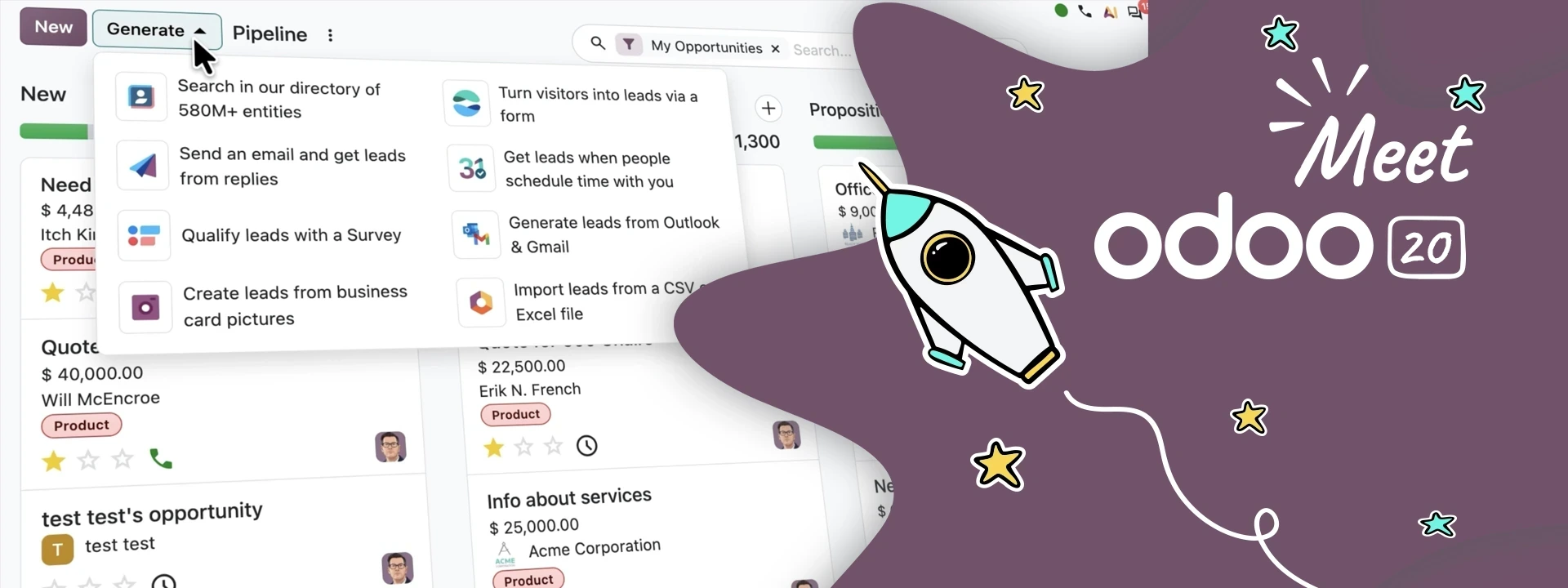
Odoo 20 introduces developments in AI-assisted tasks, workflow automation, CRM, marketing and website management. Businesses evaluating customization should consider how their existing processes can benefit from the capabilities available in their chosen Odoo edition and deployment.
Potential areas to evaluate include:
- AI-assisted workflows: Identify repetitive tasks where supported AI capabilities can improve productivity.
- CRM and sales processes: Adapt lead distribution, follow-up activities and pipeline workflows to match sales operations.
- Reporting and dashboards: Present business information in a way that supports management decisions.
- Website and marketing integration: Connect online enquiries and campaign activity with relevant business processes.
- External integrations: Connect Odoo with other applications using suitable APIs or supported connectors.
Not every requirement needs custom code. Whenever possible, use standard Odoo functionality and configuration first. Custom development should address a clear gap and be assessed for compatibility, security, performance and upgrade requirements.
Our Odoo Customization Approach
A structured implementation process helps control scope, reduce risks and make sure the final solution meets business needs.
Step 1: Requirement Analysis
Understand your business model, existing workflows, pain points and desired outcomes. Identify the teams, applications and processes affected by the proposed changes.
Step 2: Gap Analysis
Compare the requirements against standard Odoo features. Separate needs that can be addressed through configuration from those requiring custom development or integration.
Step 3: Technical Feasibility and Estimation
Define the customization scope, dependencies, expected effort, testing requirements and delivery milestones before development begins.
Step 4: Development and Configuration
Build and configure the agreed solution using appropriate development practices. Avoid unnecessary changes to core application files and favour maintainable extensions where possible.
Step 5: Testing and Validation
Test the solution against defined business scenarios. Depending on the project, this can include functional testing, integration testing, user acceptance testing and performance checks.
Step 6: Deployment, Training and Support
Prepare the production deployment, document the solution and help users understand the updated workflows. Plan ongoing maintenance and future version upgrades where required.
Odoo Customization for Different Industries
Customization requirements vary according to industry, company size and operational complexity.
Manufacturing
Adapt production workflows, bills of materials, quality processes, work orders and reporting to specific manufacturing requirements.
Trading and Distribution
Improve workflows involving quotations, purchasing, warehouses, stock movements, pricing and delivery operations.
Retail and eCommerce
Connect online orders, inventory, customer information, payment processes and fulfilment workflows.
Construction and Project-Based Businesses
Configure project tracking, cost reporting, timesheets, approvals and subcontractor-related workflows according to project needs.
Education
Explore tailored admissions, student administration, fee workflows, communication and reporting requirements.
Professional and Field Services
Adapt project management, service scheduling, timesheets, helpdesk processes and customer invoicing to the organisation's service model.
The final scope should always be based on a business requirements assessment rather than assuming every company in an industry needs the same custom features.
Odoo Customization vs Standard Configuration
Not every business requirement needs a custom module.
Standard configuration is often the best choice when existing Odoo settings, access rules, workflows and supported features can meet the requirement.
Customization becomes relevant when a genuine functional gap remains and the business case justifies additional development.
A practical decision process is:
- Review the standard Odoo feature.
- Check whether configuration can meet the requirement.
- Evaluate supported applications or connectors.
- Consider custom development only when needed.
- Document testing, maintenance and upgrade implications.
This approach helps avoid unnecessary development costs and makes the system easier to maintain.
How Much Does Odoo ERP Customization Cost?
Odoo customization costs depend on the scope and complexity of the project. There is no single price that applies to every business.
Key cost factors include:
• Number and complexity of custom modules. • Existing Odoo version and installed applications. • Third-party integration requirements. • Data migration and data quality. • Reporting and interface requirements. • Testing, documentation and training. • **Hosting, maintenance and future upgrade needs.
A small form modification will generally require less effort than a multi-module implementation involving external systems and complex business rules.
The best starting point is a requirements assessment that establishes the scope, priorities, estimated timeline and total cost.
Why Choose Palmate Technologies for Odoo ERP Solutions?
Choosing an ERP solution is only one part of the process. The system must also be configured, integrated and maintained in line with your business objectives.
Palmate Technologies works with businesses on Odoo ERP solutions and digital transformation requirements. A structured approach to customization can help organisations identify functional gaps, evaluate integration needs and plan a maintainable implementation.
When evaluating an Odoo implementation partner, consider its relevant technical experience, understanding of your industry, development standards, testing process, documentation practices and ongoing support capabilities.
The right solution should address your current business challenges while remaining practical to maintain as your organisation grows.
Frequently Asked Questions
What is Odoo ERP customization?
Odoo ERP customization involves extending or adapting Odoo through custom modules, workflow changes, reports, interface improvements and integrations to meet specific business requirements.
Can Odoo be customized for my industry?
Yes. Odoo can be configured and extended for many industries, including manufacturing, trading, retail, construction, education and professional services. The solution depends on your requirements and the capabilities of the selected Odoo edition.
Is customization possible in Odoo 20?
Customization options depend on the technical requirements, edition and hosting environment. Before starting development, confirm that the proposed solution is compatible with your Odoo 20 setup and future upgrade plans.
Can Odoo integrate with third-party software?
Yes, Odoo can integrate with external applications through suitable APIs, connectors and supported integration methods. Feasibility depends on the external platform, available interfaces and the required data flow.
How long does Odoo customization take?
The timeline depends on complexity, integrations, testing and project scope. Simple changes may take less time than custom modules or multi-department implementations. A reliable estimate should follow requirements analysis.
Will custom Odoo modules work after an upgrade?
Custom modules may require review, testing or migration when upgrading to a new Odoo version. Upgrade-friendly development practices and proper documentation help reduce risks but cannot eliminate all migration work.
How do I get started with Odoo customization?
Start by identifying the business problem, documenting the existing workflow and listing the required outcome. An initial consultation can help determine whether standard configuration, integration or custom development is the most suitable option.
Build an Odoo Solution Around Your Business
Your ERP system should support the way your business operates—not force every team into an unsuitable process.
Whether you need custom modules, workflow automation, tailored reporting or third-party integrations, begin with a clear understanding of your business requirements.
Talk to Palmate Technologies to discuss your Odoo ERP customization requirements and explore a solution aligned with your business goals.